
AI beyond wireframing, AI accountability
AI is like a personal intern on command as a designer. But it is a launchpad, and never the rocket +++ auditing AI itself is as important as prompting it.
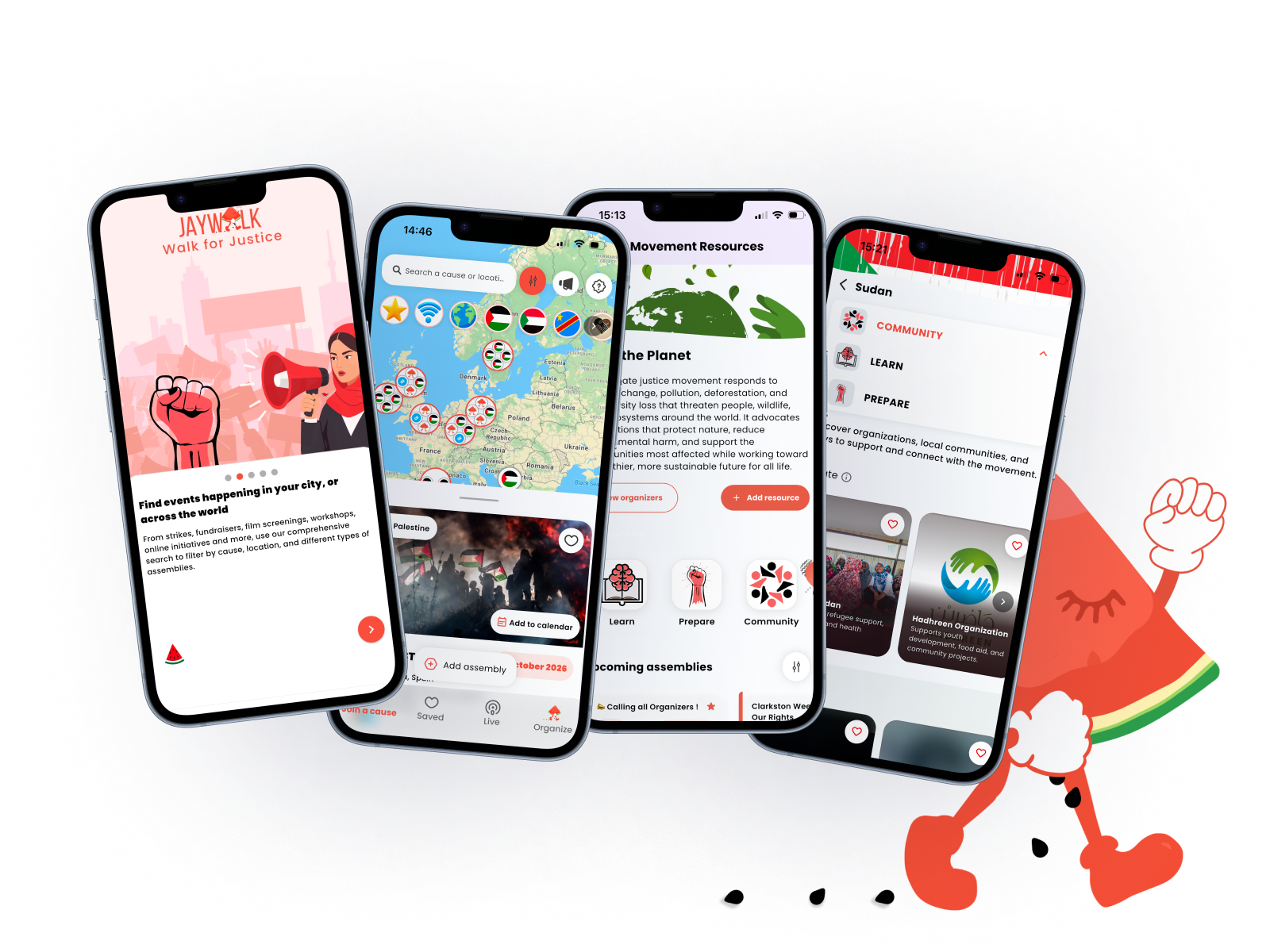
The hardest part isn’t learning AI tools, but vetting when its time to stop trusting them. The purpose of JayWalk app is to be secure platform for activists and organizers to create, find, and share gatherings and resources related to different causes around the world. The user base is a crowd that often faces surveillance, digital suppression, and function under threat of real-world consequences. From a work POV, it is also a fast-paced product spring environment where we would be continuously expanding brand new features without capacity for much testing.
I wouldn’t be approaching this with the usual toolkit of ‘A/B testing for conversion rates’, and using AI during research and planning helped ground my work with informed best practice. AI tools really aren't just for generating mockups fast, though of course, it can be a great launch pad for minimizing heavy lifting and repetitive work in the early iterative wireframing stage. AI can also be applied strategically to be a force multiplier for problem-solving at scale when you have limited resources and time to work with. At JayWalk, I used AI as a way to both amplify and validate my design thinking, and also check and correct it.
Toolkit and process
Simple for a broke freelancer. A Figma sub. DeepSeek API key. Healthy skepticism.
Figma Make = quick prototyping partner for new features. It works by describing a screen in natural language, and attaching existing Figma frames from my existing design to give it visual guidance. The edit tool lets you point to specific parts and make any direct changes to padding, colours, and text without rebuilding from scratch.
More than the generation speed, the Make Kits are what make this useful. They’re pre-published packages that can contain my design system's styles, variables, and guidelines. New prototypes pull from this curated base, which meant the AI wasn't starting from zero every time. It was working within constraints I'd already defined. Never slack on defining the constraints!
DeepSeek's API = an OpenAI-compatible format, so I could use it with tools I already knew. Personally I like the affordability of Chinese AI. I signed up for 5 bucks in free credits and started playing around. That $5 free credit can stretch across tens of thousands of test requests. "Think High" mode is good for anything sensitive. It's slower and consumes more tokens, but produces more explainable outputs,
Where AI shines
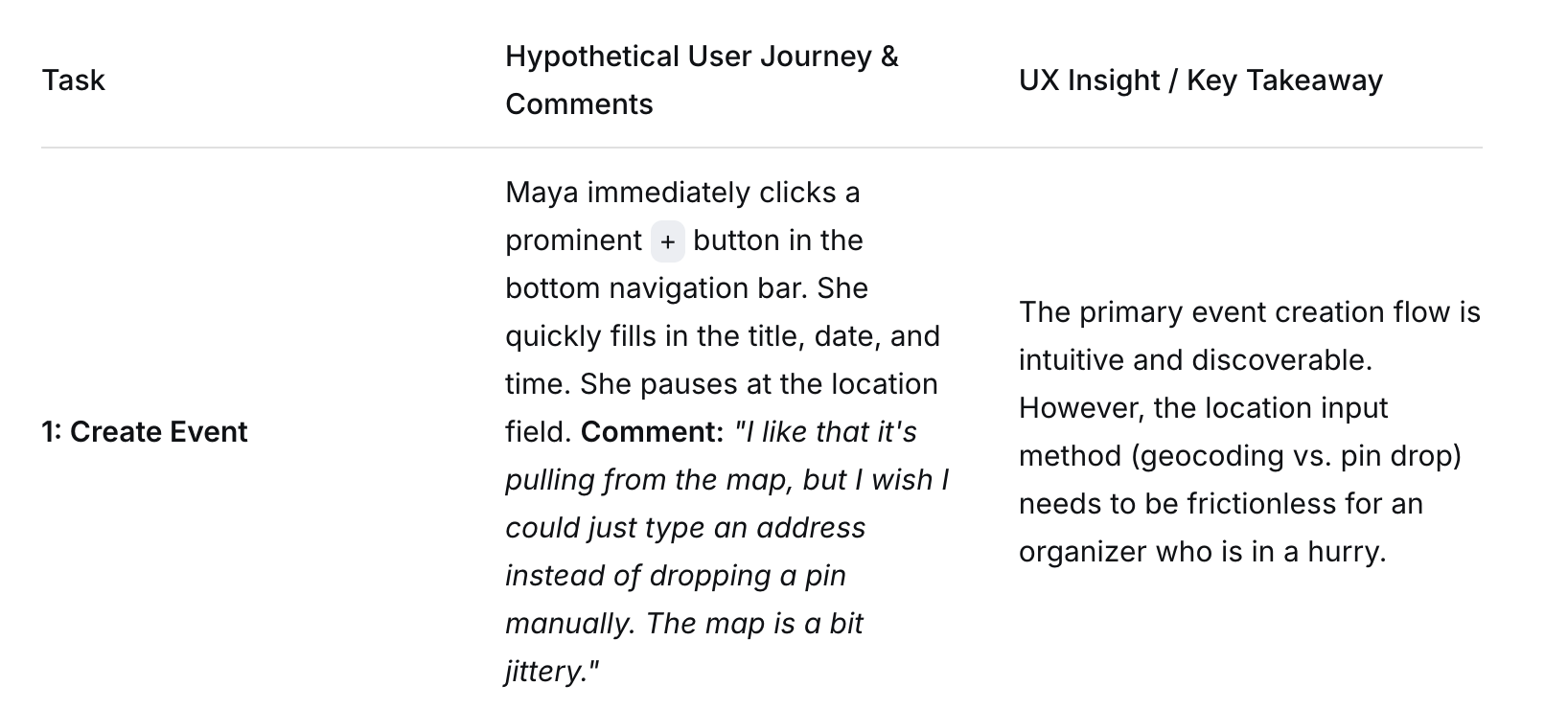
Synthetic user testing. I could simulate usability tests. prompting DeepSeek to act as different personas:
‘Maya’ the dedicated organizer, ‘Sam’ the skeptic new app user, ‘Aisha’ the activist wanting to become an organizer. Then made them walk through my Figma Make prototypes. The AI narrated confusion in real time: "This label made me think it was a button. It wasn't. I gave up." I ran this for cents per test.
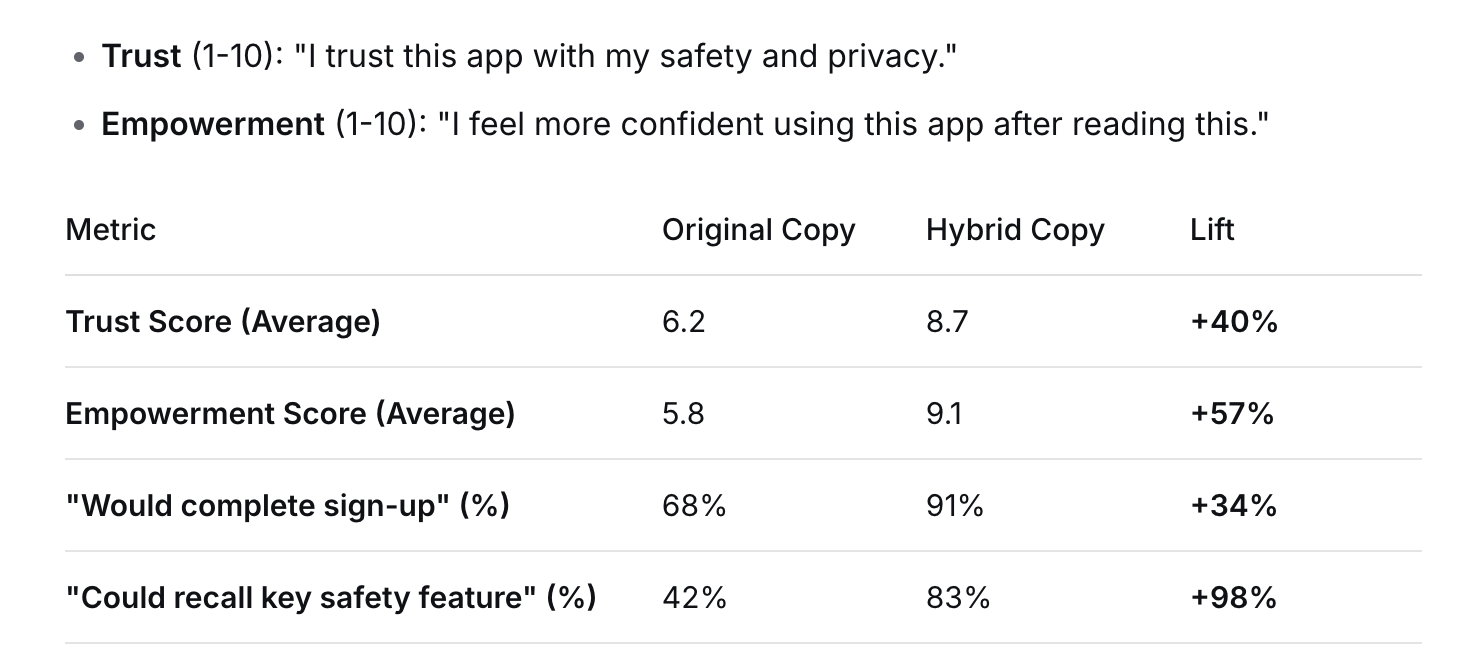
Sentiment analysis at scale. I fed a draft of onboarding and other microcopy through DeepSeek with a prompt: Flag every phrase that scores high in 'technical trust' but low in 'emotional safety.' The model highlighted phrases like "data protection protocol" as too clinical and suggested alternatives that felt more human. I ran 25 variations, each with a different tonal directive: solidarity, urgency, reassurance, plain instruction. The winners were a hybrid of "reassurance" and "solidarity". I’ll be honest, my own bias after years of working in government of preferring clarity and plain language sometimes in digital experiences is always going to be blended in though. I was also able to run a rapid A/B test with 120 participants across 3 cities, split evenly between the original clinical copy and the new hybrid copy.
“Participants” were asked to rate each version on:
Where AI sucks
For one of my flows for our Live map feature, I realized the AI had assumed a reputation system that worked like Yelp (reviews, stars, public ratings.) But for activists potentially under surveillance, public ratings are not it. It’s nonsensical for this product as well even from a feature POV. Our app may be encrypted, but it’s still important to do our due diligence in avoiding the exposure of personal user info. You can't have a visible trust score that makes you a target. AI didn't know this. It just pattern-matched at speed. That’s one of its shortcomings. It makes the same type of mistakes a ‘newbie’ might.
Where it really sucks
Language bias. We are finessing our built-in translation feature. DeepSeek’s language patterns will assume the user's primary language is English when when you specify multilingual contexts. Even when I prompt with Arabic examples. The "urgency" versions lean toward phrasing that feel much more aggressive than protective. For example Share your location now! instead of something softer like Can we share your location to send help?
DeepSeek's model reproduces specific linguistic and cultural patterns from its training data. If your training data doesn't reflect the full spectrum of expression, your AI will systematically fail anyone outside that narrow slice.
The trust-scoring trap. I experimented with having AI suggest a model for Organizer-controlled access codes - a feature coming down the pipeline for our Live Map that allows organizers to create private links so they can manage access to the live map for their event (usually a protest). The outputs assumed users would have consistent internet access, consistent behavioural patterns, consistent session lengths.
But my users in regions with limited connectivity looked "anomalous" to the model. Fewer interactions, slower navigation, irregular session patterns. The AI wanted to penalize them.